
How to Search Civil Dockets
Begin with Kansas Judicial Branch CaseSearch. Per the Smart Search guide, you need a record number or a name, and registration comes first. Set the location to Greenwood. From there, filter by case type, status, filing dates, or judicial officer once you actually know those details.
- Confirm the dispute belongs to Kansas District Court.
- Search by case number when one is available.
- For a name search, choose party or business criteria.
- Filter the location to Greenwood.
- Read the header and events before seeking documents.
Filters help, but they can also mislead. One misspelled business name or wrong date range can bury a real case in the results. When CaseSearch leaves you stuck, call the Greenwood County District Court Clerk at 620-583-8153.
Greenwood Civil Search Fields
The official Smart Search guide covers both name and number searches along with advanced criteria. The portal publishes no Greenwood-specific export or update schedule.
| Field | Best use | Limit |
|---|---|---|
| Record number or name | Required starting point | Check exact format or spelling |
| Business Name | Organization party | Select the business option |
| Location | Choose Greenwood | All locations can mix counties |
| Case type/status | Narrow known matters | Official option list was not captured |
| File date/officer | Refine a broad set | A wrong value can remove the case |
Other search modes include attorney name and bar number, case cross-reference, nickname, and judicial officer. Stick with the fields that match the civil matter at hand.
What a Civil Docket Shows
Kansas Rule 21 names this record the events index, or register of actions. It tracks the case through time. Where fields are public, the header shows the court, case type, filing date, parties, attorneys, and judicial officer.
| Case number | The unique court record number and safest search key |
|---|---|
| Parties and counsel | People or organizations and attorneys linked to the matter |
| Events index | Dated pleadings, motions, notices, orders, and settings |
| Hearing information | Public dates and events when available |
| Disposition | Recorded judgment, dismissal, or other closing event |
A docket line that says an order was filed is not the order itself. Think of the register as a pointer to the document, since remote access depends on the category, the date, and the governing Kansas access rule.
Greenwood Reported Civil Filings
For scale, the Kansas FY2024 Civil Filings table counts 179 Greenwood County civil filings: 109 limited actions, 49 domestic-relations matters, and 21 regular actions.
Those numbers count filings from the reported fiscal year alone. They are not pending cases, downloadable files, or judgments. The tally gives local scale; the individual docket still holds the case-specific facts.
Types of Civil Cases on the Docket
Contract, property, tort, and other larger claims arrive at Greenwood County District Court as regular civil actions. Limited actions and domestic relations get their own reporting lines. Small claims sit with the state district and magistrate layer as well, never with a city municipal court.
| Civil layer | Examples | Record route |
|---|---|---|
| Regular action | Contract, property, tort, other civil claims | CaseSearch and District Court Clerk |
| Limited action | Cases assigned to the limited-action category | District docket |
| Domestic relations | Family matters with access limits for some documents | Index, terminal, or clerk as allowed |
| Small claims | Claims within the Kansas statutory limit | District or magistrate docket |
The small-claim limit sits at $10,000 under K.S.A. 61-2703. That statute anchors the local docket distinction described here.
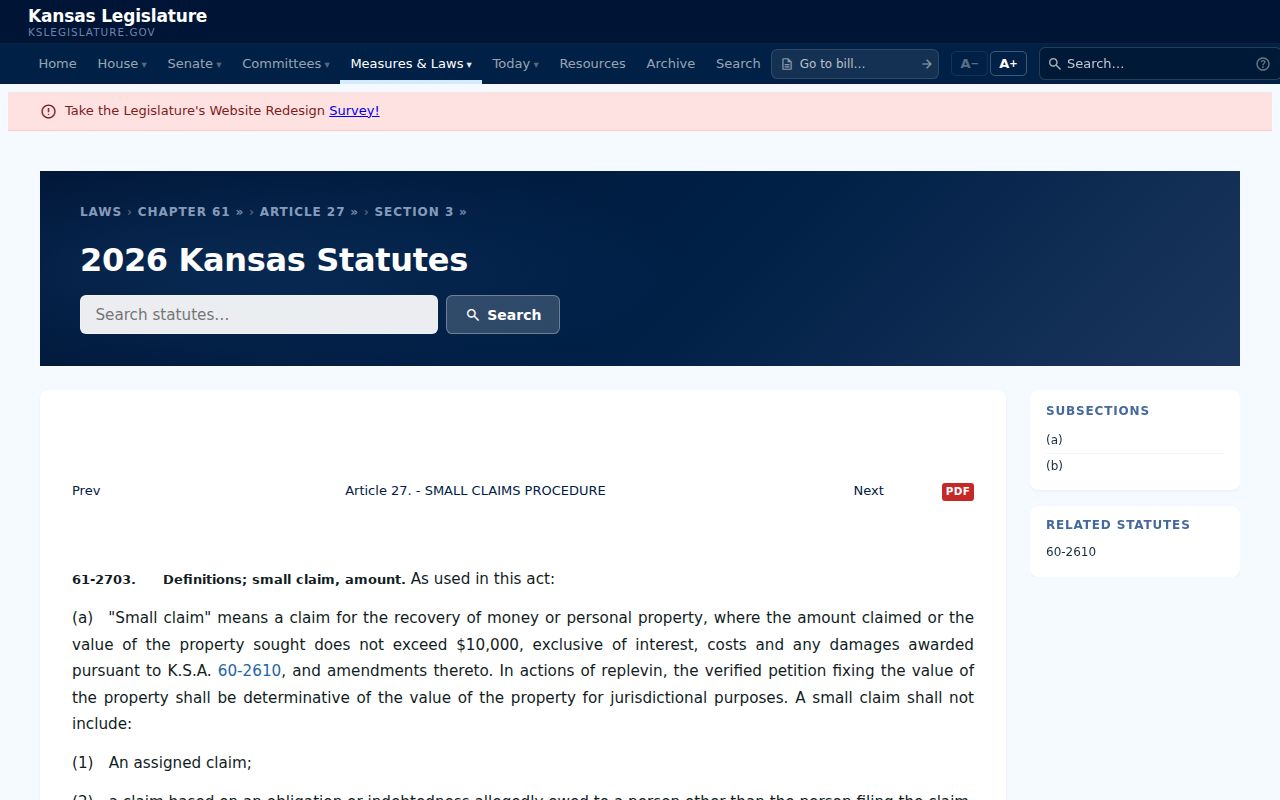
Where the parties live does not change this. A city clerk never becomes keeper of a Greenwood small-claims register for that reason alone.
Greenwood Civil Filings Portal
Kansas Civil Filings exists to submit new civil cases, not to search them. Official FY2025 reporting says submitted filings sit in clerk review for three days unless rejected under Rule 23(c). Do not confuse it with CaseSearch; it is a filing surface, not the public docket search. The official portal image shows that separate filing screen.
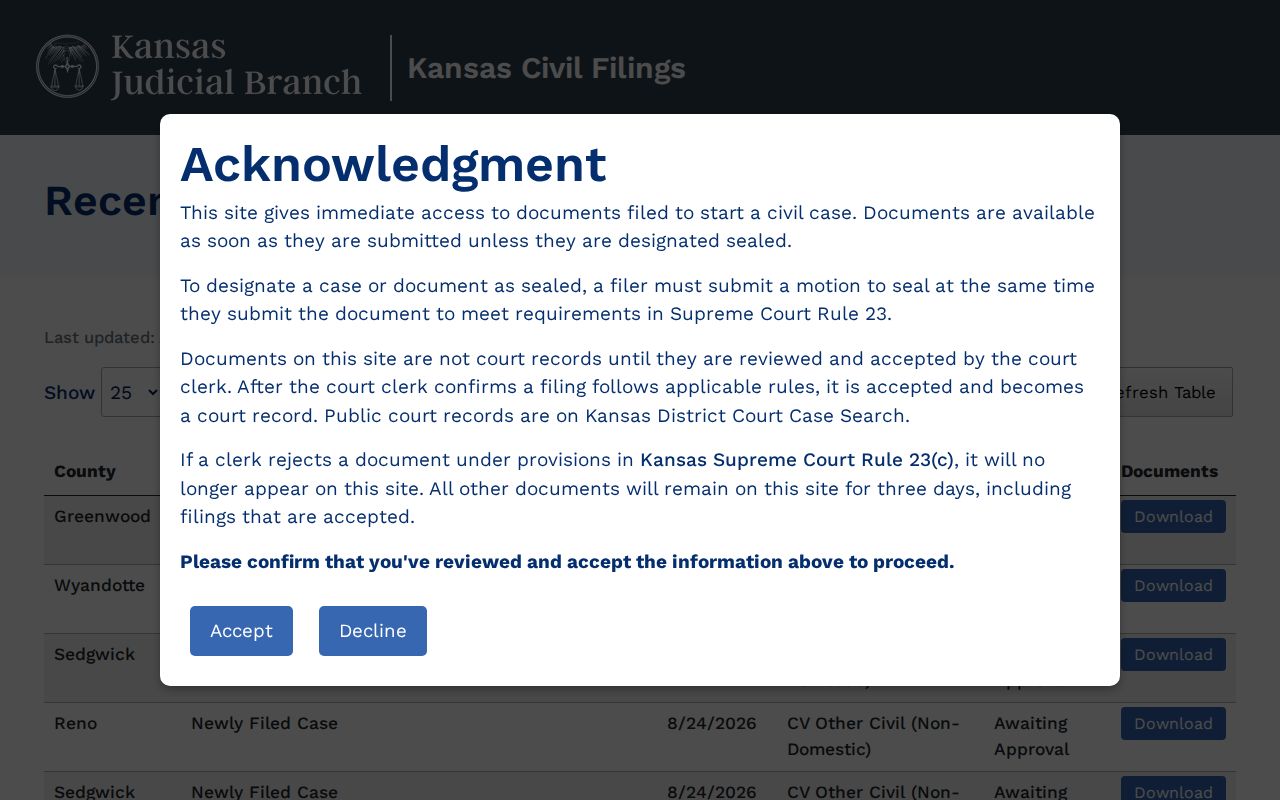
Kansas Courts eFlex works the same way. It is a workspace for authorized filers, so a member of the public searching a Greenwood civil case belongs in CaseSearch, not at an attorney filing login.
Three systems, three roles: CaseSearch finds public case information, Kansas Civil Filings submits a new civil case, and eFlex serves authorized filers.
Settings and Hearings on Civil Dockets
Motion hearings, status conferences, pretrial settings, and trials all appear on a civil register. Always read the latest event rather than trusting an old notice. A continuance or reset only moves the setting; it is neither a dismissal nor a judgment.
- Setting
- A scheduled court event.
- Motion
- A request asking the court to act or enter an order.
- Continuance
- A postponement reflected by a later event or order.
- Judgment
- A formal ruling resolving some or all issues.
Check the register against the 13th Judicial District calendar. That calendar lists a title, date, time, and optional details, though it may not display a full civil case block. Before you count on a date, confirm it with the clerk.
Missing Greenwood Civil Documents
Public case information may appear online. Even so, domestic, guardianship, juvenile, and converted pre-Odyssey documents may not be there. Kansas Rule 22 treats the courthouse terminal as its own access level.
Verify the case number and event date first. Then call the clerk to book the public computer or the designated file-review room. For copies, describe the document. Say whether you need a plain, certified, or authenticated version. Greenwood lists minimums of $0.50 per plain-copy page, $1 per certified document, and $3 per authenticated packet. Research time bills at $12 per hour. Confirm current totals before you pay.
Public Access to Civil Dockets
Even a public civil index can carry redactions or point to a record closed to remote view. Kansas Rule 24 shields specified identifiers. KORA exemptions and court orders can restrict other material too.
Access path: Search CaseSearch, use the Greenwood courthouse terminal when remote access ends, and submit a precise court-record request for a releasable copy. A request does not open a confidential or sealed file.
The county-government KORA office is not the state court clerk. Greenwood County's official open-records page says so directly, sending judicial records to the 13th Judicial District.
Greenwood Civil Clerk Requests
You will find the District Court Clerk's Office at 311 N Main Street, Eureka, KS 67045, phone 620-583-8153. Public files and the public computer run by appointment. Bring the case number. Counter hours run 8:00 a.m. to noon and 1:00 to 5:00 p.m., closing Thursdays from 1:30 to 2:30.
The 13th District request form asks for your contact details, a specific record narrative, the case number, and whether you want access or copies. Email submissions go to Court Administrator Dawn.Rouse@kscourts.gov. If you mail a request, confirm the proper destination before using the courthouse address.
Greenwood Docket and Case File
A Greenwood County docket and the case file behind it are two different things. The docket is the timeline. It shows when a petition was filed. It notes service or a response, and it lists which motions and notices came after. It also lists settings and any judgment or dismissal. The case file holds the actual paperwork. These are the pleadings, exhibits, and orders that those docket lines refer to. So a printout of the events index is not a certified copy of any order.
Knowing that difference saves time at the clerk's counter. Need only the next hearing date? A docket event plus a quick confirmation from the clerk may be enough. Need the court's signed ruling instead? Identify the order by date and ask for that document itself. Some older or remote-restricted material can only be viewed at a courthouse terminal before the right filing is pinned down. Certification, authentication, and recording are separate products with separate charges, so tell the clerk what the copy is for. That one detail often spares you from ordering the whole civil file.
Greenwood Civil Request Details
The 13th Judicial District's public-record form spells out what a civil request needs. Expect to give your name and organization, if there is one. Add your address, phone or email, a signature, and the date. Describe the specific document. Add the case number, and state whether you want access or copies. That detail helps court staff. They can tell a complaint apart from a motion, journal entry, judgment, or recording. Asking for everything usually means more staff time and a bigger estimate.
The form carries the K.S.A. 45-230 acknowledgment about lists of names and addresses pulled from public records. Payment can be cash, cashier's check, money order, personal check, debit, or credit. Photo identification is required for a personal check or card in the named person. One caution applies. The form does not promise every civil document can be emailed, and it cannot open a domestic, guardianship, juvenile, sealed, or otherwise restricted record to the public.
Start with the register for a Greenwood civil file. It gives the exact filing date and a description of the document. Then ask whether the filing is available remotely or viewable at the public terminal. If you need a copy, say whether it should be plain, certified, or authenticated. The local court page prices plain copies at $0.50 per page. A certified document is $1. An authenticated packet is $3. Staff search work runs $12 per hour. An emailed record needing under one hour of staff time costs nothing. Totals shift, so get an estimate before a large search.